Outlook Profile Update Manager for Office 365 and Exchange
Automate Outlook Profile Migration for Office 365 & Exchange
Priasoft’s Profile Update Manager ensures hassle-free migration by automatically updating Outlook profiles, improving user experience and minimizing downtime during Office 365 or Exchange migrations.
A Powerful Solution for Seamless Outlook Profile Migrations Across Office 365 and Exchange
Priasoft Profile Update Manager automates Outlook Profile Updates during Office 365 and Exchange Migrations, ensuring minimal downtime and a smooth transition for users across organizations.
Priasoft’s Outlook Profile Update Manager is a robust solution designed to streamline the migration of Outlook profiles during Office 365 and Exchange transitions. By automating profile updates, the tool eliminates the need for manual interventions, ensuring a seamless and efficient migration process. It offers centralized management, allowing IT teams to monitor and control profile updates across the organization from a single hub, minimizing disruption and downtime.
The tool supports a wide range of Outlook versions, making it adaptable to diverse environments, whether migrating from legacy systems or transitioning to newer platforms.
Effortless Office 365 Migration for Global Organizations
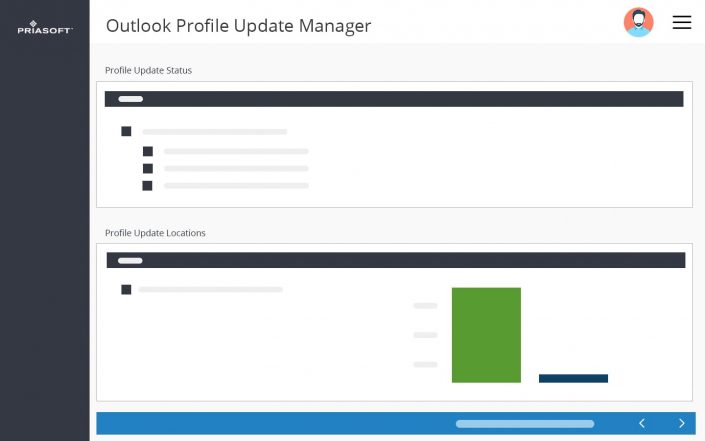
Migrating a global organization’s Outlook profiles to Office 365 can be complex, with multiple regions and varying Outlook versions. Priasoft’s Profile Update Manager automates the migration process, ensuring that all Outlook profiles are updated efficiently, regardless of location or version. This minimizes downtime and streamlines the transition, ensuring users have seamless access to their email and calendars from day one of the migration.
Unlock Streamlined Outlook Profile Migration and Management
Effortlessly automate Outlook profile updates across your organization to ensure smooth transitions during migrations, minimize disruptions, and improve productivity with centralized management and compatibility with various Outlook versions.
Seamless Outlook Client Profile Migration
Effortlessly automate the update of Outlook profiles across your entire organization during migrations to Office 365 or Exchange. Simplify the transition, minimize errors, and avoid downtime, ensuring your users stay productive without manual intervention.
Centralized Profile Migration Updates and Management
Gain full control over profile updates from a single, intuitive hub. Monitor and manage all user profiles at once, eliminating the need for time-consuming manual updates and improving efficiency during large-scale migrations.
Broad Outlook Version Migration Support
Support for a wide range of Outlook versions, including legacy editions and Office 365, ensures smooth migration across diverse environments. No matter your starting point, Priasoft’s solution adapts to your organization’s needs.
Real-Time Monitoring and Status Updates
Keep track of your migration progress with real-time status updates. Ensure smooth operations by monitoring every stage, and address potential issues quickly with automated notifications that keep your team informed.
Minimize Disruptions During Migrations
Priasoft’s Profile Update Manager reduces the impact on your users by automating Outlook profile updates, allowing them to continue their work with minimal interruptions during complex migrations.
Rollback Protection for Outlook Client Changes
Ensure a safe migration with rollback protection. If an issue occurs, you can quickly revert to the previous profile settings, protecting data integrity and maintaining user productivity throughout the process.
Simplifying Exchange On-Premises to Cloud Transition
For organizations moving from Exchange on-premises to Office 365, manual Outlook profile updates can lead to significant delays and errors. Priasoft’s Profile Update Manager automates the process, reducing the complexity of updating hundreds or thousands of Outlook profiles. With centralized control, IT teams can ensure that all users’ profiles are correctly configured, avoiding potential disruptions and enhancing the user experience during the migration.
Streamline Outlook Profile Migrations for Enterprise-Scale Environments
Efficiently manage and update Outlook profiles across large organizations with ease. Priasoft’s solution ensures smooth, secure migrations, minimizing downtime and improving productivity during transitions to Office 365 or Exchange.
Seamless Integration for Large-Scale Migrations
Priasoft’s solution enables smooth integration of Outlook profile updates across thousands of users, ensuring large-scale migrations are executed efficiently with minimal disruption to end-users. Automate complex updates for a flawless transition to Office 365 or Exchange.
Scalable Automation for Enterprise Environments
From small teams to global organizations, Priasoft’s Profile Update Manager scales effortlessly to meet the demands of enterprises, automating the process of profile updates for diverse teams and locations across the globe.
Advanced Monitoring for Enterprise-Level Visibility
Gain full visibility with enterprise-grade monitoring, allowing IT administrators to track, manage, and resolve issues quickly, ensuring smooth, uninterrupted migrations across your entire organization.
Streamlined Outlook Profile Updates During Multi-Office Deployments
When deploying Office 365 across multiple office locations, managing Outlook profile updates manually can become a time-consuming task. Priasoft’s Profile Update Manager enables IT teams to handle profile updates for all users from a single, centralized platform. This automation ensures that all Outlook configurations are properly set, significantly reducing the time and resources required for deployment and helping organizations avoid potential errors during large-scale migrations.
Discover Tailored Migration Solutions –
Speak
with an Exchange Expert
Discuss your project with our experienced Exchange engineers today!